Electronic Giving
We offer three convenient ways to give electronically — choose the option that works best for you.
Option 1
Online — Recurring or One-Time
Give securely online through our giving portal powered by Vanco. You can set up a recurring gift that automatically processes on a schedule you choose, or make a one-time giftwhenever you'd like.
- Accepts credit/debit cards and bank account (ACH)
- Set up automatic recurring gifts — weekly, bi-weekly, or monthly
- Secure, encrypted transactions
- Receive email confirmation for every gift
Option 2
Give by Text
Give by Text Number
316-541-1608
- 1
Get Started
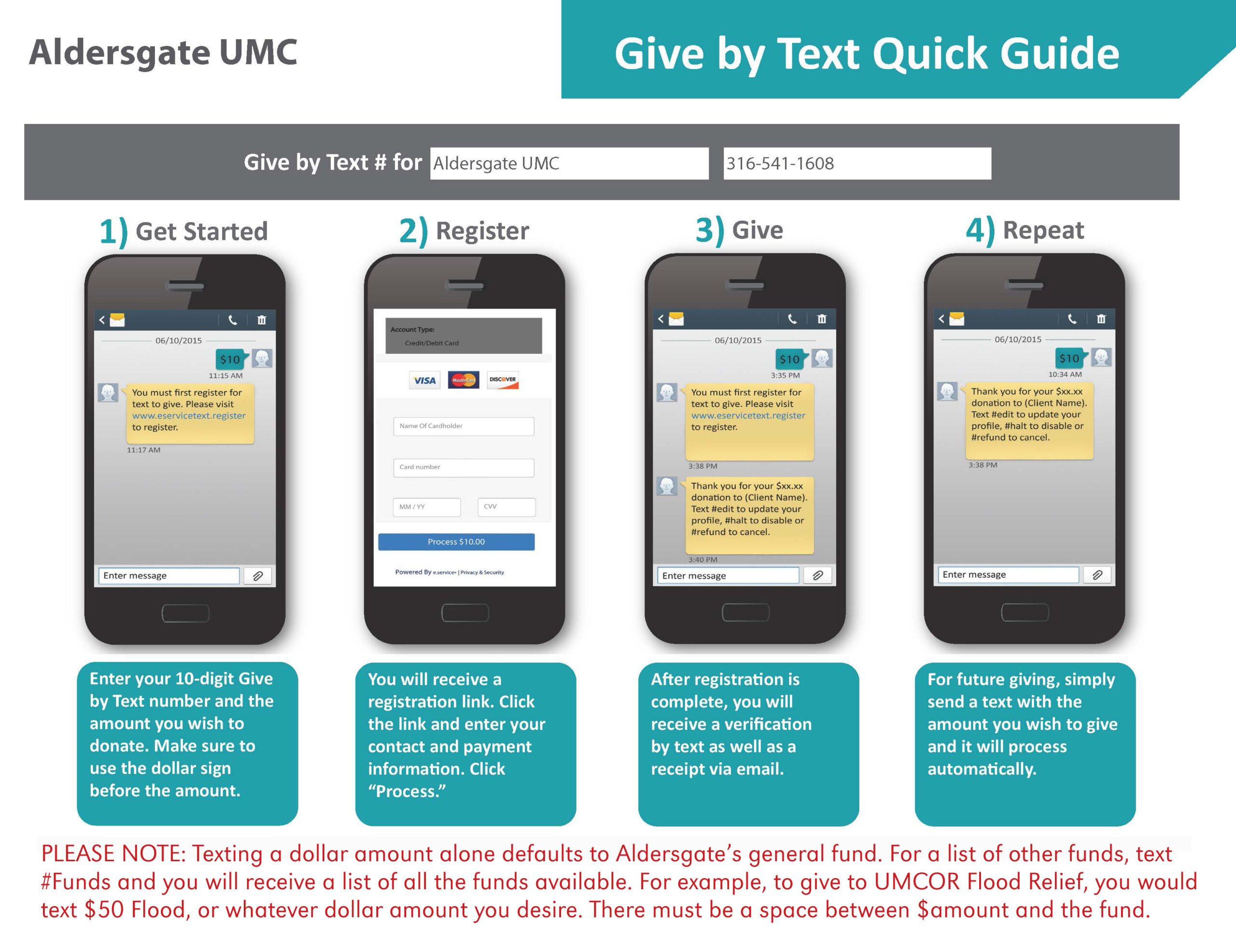
Text the 10-digit Give by Text number and the dollar amount you wish to donate. Be sure to use the dollar sign before the amount (e.g. $25).
- 2
Register
You will receive a registration link. Click the link and enter your contact and payment information, then click "Process."
- 3
Give
After registration is complete, you will receive a verification by text and a receipt via email.
- 4
Repeat
For future giving, simply send a text with the amount you wish to give and it will process automatically.
Please Note
Texting a dollar amount alone defaults to Aldersgate's general fund. For a list of other funds, text #Funds and you will receive a list of all funds available. For example, to give to UMCOR Flood Relief, text $50 Flood. There must be a space between $amount and the fund name.
Option 3
Electronic Funds Transfer (EFT)
An Electronic Funds Transfer (EFT) allows your bank to automatically transfer your tithe or offering directly to Aldersgate on a schedule you set — no action needed each week.
Download and complete the EFT authorization form below, then return it to the church office to get started.
Download EFT Form (PDF)